Formatpixel
Create paper presentations for mags, brochures,catalogues anything you like, really.
Letterpop
Creating newsletters using an Ajax interface.
Draw Anywhere
Create diagrams, flowcharts…
PimpMyIcon
Buddy icons and Avatars with your pictures.
Online Icon Maker
Create 16×16 icons.
Mr. Picassohead
Creat your own Picasso art using eyes, ears, noses and placing them on the canvas. Good Fun.
YUVA Studio
Drawing app for kids to create artwork and convertthem into e-cards.
RoundedCornr
Generates HTML/CSS code for rounded corners.
SignBot
Animated scrolling text LED generator.
Web 2.0 Logo Maker
Create Web 2.0 logos.
Warning Sign Generator
Create warning signs for your site.
FormLogix
Create web forms directly with a WYSWYG tool.
Cumulate Draw
APP for flowcharts and diagrams.
Motivator
Create motivational posters.
Empressr
Application that lets you create, share and store presentations online.
PDF Pad
Generates graphs, calendars etc. into PDF format.
Color Palette Generator
Generates a color palette that matches a selected image.
Gickr
Create an animated GIF.
PictureCloud
Create a 360 degrees image.
Ajaxload
Create your own AJAX loading animated GIF.
Textorizer
Takes an image file and some user-specified text and produces an SVG file.
LiThA - Paint
Graphic editor built with Javascript. (worth a look)
E-Mail Icon Generator
Create a graphical button of your email address.
Buttonator
Create buttons for your website.
Background Image maker
Create background images for your site.
Snipshot
Web-based image editor.
Personalized CD/DVD cover creator
Create your own DVD cover.
ButtonMaker
80×15 button maker.
gliffy
Another site for creating flowcharts.
Morphases
Try this, its excellent.
Ultimate Banner Generator
Create web banners.
Color Scheme Tool
Color scheme generator.
E-Mail Icon Generator
It does what the title says.
Custom Sign Generator
Generates logos, buttons, banners, labels, e-cards etc.
Web Based Banner Generator
Generate your own web banner by entering some text and selecting the color and font.
BannerBreak.com
Another banner maker.
WebSketch
Simple sketch-and-paint application. You can load, save and print your drawings.
Random Stripe Generator
Generator for random stripe patterns.
GSig
Generates buttons for your GMail address.
Typetester
Compare up to three typefaces with sample text.
GIFWorks
GIF image editor.
Gradient Image Maker
Gradient images generator.
Online Image Optimizer
Optimize your GIFs, JPGs, PNGs… image files. (for quicker page loading).
FavIcon Generator
Create a favicon for your website.
WebFX
Add effects to your image.
4096 Color Wheel
A color picker.
colr.org
Creates color schemes from images.
Button Maker and Generator
Yet another one. Not bad, though.
CSS Generator
CSS code Generator.
Google Logo Maker
Google-style logos.
Icon Grabber
Grab the shortcut icon of any URL.
ColorMixers
Color palette generator.
BitfontMaker
Create bitmap fonts.
Color Scheme Generator 2
Yet another…
Color Schemer
…and another…
ColorMix
..and another…
Color Match 5K
…yes it is another… (this one I really like)
Color Palette Creator
…one more, honestly.
Image Embellisher
Special effects for your images.
Buddy Icons
Create your own Buddy Icon.
GIF Text
Change text into GIF images.
BlendGif
Combine several single-frame GIF files into a new, animated GIF file.
WhatTheFont
Very handy tool for finding out about a particular font.
My Brochure Maker
Create a brochure or flyer.
fontBROWSER
Preview your own font collection.
CoolText
Logo generator.
My Newsletter Maker
Create a newsletter in minutes.
My Card Maker
Create custom cards.
Button Maker
Create blogging buttons.
80×15 Brilliant Button Maker
80×15 buttons.
Rasterbator
Create large rasterized images from your picture.
Graph Paper Generator
Generate your own graph paper online in PDF format.
Business Card Creator
Create business cards.
Animated GIF MovieMaker
Convert your images into an animated GIF.
Tuesday, April 29, 2008

63 Essential Wordpress Hacks, Tutorials, Help Files and Cheats
Wordpress Tutorials/Hacks
1.WordPress Theme Hacks (Source: Web Designer Wall)
2. No More CSS Hacks (Source: Style Gala)
3. Create a Dynamic Sticky (Source: Maxpower)
4. Styling Individual Posts Using the_ID (Source: WP Designer)
5. Show Category Images (Source: JTPratt)
6. Separate WordPress Comments and Trackbacks (Source: Hack Wordpress)
7. Customize your WordPress Login (Source: David Airey)
8. Date Image Hack (Source: YugaTech)
9. How to place a login form in the sidebar (Source: WP Designer)
10. WP: KeyBoard Shortcuts (Source: Tip Monkies)
11. Making Better Use of Your Error “404″ Page (Source: Hack Wordpress)
12. Customize Your 404 Page (Source: Theme Playground)
13. WordPress accessibility hacks (Source: Bruce Lawson)
14. Reset your Lost WordPress Administrator Password (Source: Village Idiot)
15. The Definitive Guide to Semantic Web Markup for Blogs (Source: Pearsonified)
16. Do-It-Yourself WordPress Hover Menu (Pop-Up) (Source: WP Designer)
17. How to Protect CSS Mods for ANY WordPress Theme (Source: Pearsonified)
18. WP Contact Manager (Source: Design Canopy)
19. Wordpress and the custom fields, a overlooked feature (Source: Gate 303)
20. DiggProof your Wordpress (Source: Circle Six Blog)
21. WordPress Ajax Commenting revisited (Source: Zeo)
22. Widgetizing Themes (Source: Automattic)
23. Cloaking to Stop Scraping (Source: Plagiarism Today)
24. Server load button for blogs (Source: Jesse Chilcott’s Journal)
25. Giving each WordPress post a thumbnail, and display the thumbnail on the home page (Source: Wordpress Garage)
26. How to create overlapping tabs (Source: WP Designer)
27. How to Optimize Your WordPress Title (Source: Hack Wordpress)
28. Blocking Your WordPress Categories and Archives From Google (Source: Hack Wordpress)
29. Adding An Author Page To Your WordPress Blog (Source: Hack Wordpress)
30. Make a Mobile Friendly Version of your Blog with Google Reader (Source: Digital Inspiration)
31. How to Use Wordpress as a Membership Directory (Source: WP Designer)
32. How to Format Images for Feed Readers (Source: Pearsonified)
33. Add Del.icio.us Daily Blog Posting To Your WordPress Blog (Source: Hack Wordpress)
34. Huge Compilation of WordPress Code (Source: Hack Wordpress)
35. 4 Simple ways to Speed up Wordpress (Source: WP Candy)
36. WordPress Date Button (Source: WP Designer)
37. Wicked WordPress Archives in One Easy Step! (Source: Pearsonified)
38. Make Yourself Available to Readers with a Contact Form (Source: Hack Wordpress)
39. Wordpress as a CMS - Content Management System (Source: Graphic Design Blog)
40. Installing Xampp and WordPress (Locally) (Source: Tamba 2)
41. WordPress Category Page Hacks (Source: Jehiah)
42. 3 WordPress Hacks For SE-Friendly Blog Archives (Source: SEO Egghead)
43. Opening Links in New Windows (Source: Ajay)
44. WordPress Thumbnail Size Limit Hack (Source: Lorelle on Wordpress)
45. Restore your Wordpress Database (Source: Tamba 2)
46. Validating Wordpress (Source: Wordpress Codex)
47. Backing Up Wordpress (Source: Lorelle on Wordpress)
48. Moving Your WordPress Blog to a New Directory (Source: Big Biz Blog)
49. Moving Your WordPress Blog to a New Directory (Source: Big Biz Blog)
Wordpress Video Tutorials
50. The Best Wordpress Plug-ins
51. How to embed YouTube Video in Wordpress
52. How to Upgrade Wordpress
53. Make Your Wordpress Blog Search Engine Friendly
54. WordPress.com - Step-by-Step Tutorial on How to Blog
55. How To Create A Custom WordPress Page Template
56. Wordpress tutorial–installing on a local server
57. Recover WordPress Password When You Have Forgotten It
58. WordPress Tutorial - Edit a Sidebar File Using a Text Editor
59. WordPress Tutorial - Make Menus of Links With the Blogroll 2
60. How-to: Use WordPress/PodPress to podcast to iTunes
61. How to Put Adsense on Your Wordpress Blog
Wordpress Podcasts
62. The Wordpress Podcast
63. The Wordpress Weekly
1.WordPress Theme Hacks (Source: Web Designer Wall)
2. No More CSS Hacks (Source: Style Gala)
3. Create a Dynamic Sticky (Source: Maxpower)
4. Styling Individual Posts Using the_ID (Source: WP Designer)
5. Show Category Images (Source: JTPratt)
6. Separate WordPress Comments and Trackbacks (Source: Hack Wordpress)
7. Customize your WordPress Login (Source: David Airey)
8. Date Image Hack (Source: YugaTech)
9. How to place a login form in the sidebar (Source: WP Designer)
10. WP: KeyBoard Shortcuts (Source: Tip Monkies)
11. Making Better Use of Your Error “404″ Page (Source: Hack Wordpress)
12. Customize Your 404 Page (Source: Theme Playground)
13. WordPress accessibility hacks (Source: Bruce Lawson)
14. Reset your Lost WordPress Administrator Password (Source: Village Idiot)
15. The Definitive Guide to Semantic Web Markup for Blogs (Source: Pearsonified)
16. Do-It-Yourself WordPress Hover Menu (Pop-Up) (Source: WP Designer)
17. How to Protect CSS Mods for ANY WordPress Theme (Source: Pearsonified)
18. WP Contact Manager (Source: Design Canopy)
19. Wordpress and the custom fields, a overlooked feature (Source: Gate 303)
20. DiggProof your Wordpress (Source: Circle Six Blog)
21. WordPress Ajax Commenting revisited (Source: Zeo)
22. Widgetizing Themes (Source: Automattic)
23. Cloaking to Stop Scraping (Source: Plagiarism Today)
24. Server load button for blogs (Source: Jesse Chilcott’s Journal)
25. Giving each WordPress post a thumbnail, and display the thumbnail on the home page (Source: Wordpress Garage)
26. How to create overlapping tabs (Source: WP Designer)
27. How to Optimize Your WordPress Title (Source: Hack Wordpress)
28. Blocking Your WordPress Categories and Archives From Google (Source: Hack Wordpress)
29. Adding An Author Page To Your WordPress Blog (Source: Hack Wordpress)
30. Make a Mobile Friendly Version of your Blog with Google Reader (Source: Digital Inspiration)
31. How to Use Wordpress as a Membership Directory (Source: WP Designer)
32. How to Format Images for Feed Readers (Source: Pearsonified)
33. Add Del.icio.us Daily Blog Posting To Your WordPress Blog (Source: Hack Wordpress)
34. Huge Compilation of WordPress Code (Source: Hack Wordpress)
35. 4 Simple ways to Speed up Wordpress (Source: WP Candy)
36. WordPress Date Button (Source: WP Designer)
37. Wicked WordPress Archives in One Easy Step! (Source: Pearsonified)
38. Make Yourself Available to Readers with a Contact Form (Source: Hack Wordpress)
39. Wordpress as a CMS - Content Management System (Source: Graphic Design Blog)
40. Installing Xampp and WordPress (Locally) (Source: Tamba 2)
41. WordPress Category Page Hacks (Source: Jehiah)
42. 3 WordPress Hacks For SE-Friendly Blog Archives (Source: SEO Egghead)
43. Opening Links in New Windows (Source: Ajay)
44. WordPress Thumbnail Size Limit Hack (Source: Lorelle on Wordpress)
45. Restore your Wordpress Database (Source: Tamba 2)
46. Validating Wordpress (Source: Wordpress Codex)
47. Backing Up Wordpress (Source: Lorelle on Wordpress)
48. Moving Your WordPress Blog to a New Directory (Source: Big Biz Blog)
49. Moving Your WordPress Blog to a New Directory (Source: Big Biz Blog)
Wordpress Video Tutorials
50. The Best Wordpress Plug-ins
51. How to embed YouTube Video in Wordpress
52. How to Upgrade Wordpress
53. Make Your Wordpress Blog Search Engine Friendly
54. WordPress.com - Step-by-Step Tutorial on How to Blog
55. How To Create A Custom WordPress Page Template
56. Wordpress tutorial–installing on a local server
57. Recover WordPress Password When You Have Forgotten It
58. WordPress Tutorial - Edit a Sidebar File Using a Text Editor
59. WordPress Tutorial - Make Menus of Links With the Blogroll 2
60. How-to: Use WordPress/PodPress to podcast to iTunes
61. How to Put Adsense on Your Wordpress Blog
Wordpress Podcasts
62. The Wordpress Podcast
63. The Wordpress Weekly
53 Steps to follow if you want to become Freelance Web Designer/Developer (60+ Resources)
There are many pros and cons venturing into Freelance, don’t think of it as freelance, but as you setting up your own Design Studio. That to me is a lot cooler.
But the truth of the matter is I have completed my transition, I am a Freelance Web Designer/Developer. And couldn’t be happier.
53 Steps to becoming a Freelancer Web Designer/Developer
1. Set a realistic date for starting officially as a Freelance Designer.
(When I say realistic, I mean six months+, and not weeks). Stick to this date.
2. Write out a plan-of action for your new business.
(Always remember it is a business you are building).
Further Reading: Creating a Plan of Action.
3. Save as much money as you can in that six months.
(You’ll need money for stationery, lawyers, accountants, hardware, software…).
4. Make an appointment at your local bank to discuss a business account..
(If you can try to avoid asking for an overdraft, do that. Same with a Credit Card).
5. Familiarize yourself with what your and your clients legal obligations are, then speak to a lawyer about a Contract Draft.
(When it comes to legalities you can’t afford any mistakes,the expense is worth it).
Further Reading: Legalese for Freelancers: Creating a Contract.
6. Design a logo that can be easily identified.
(This is who you are from now on).
Further Reading: Top 50 Logo Design Tutorials.
7. Design letterheads for your stationery, have them professionally printed.
(Order about 200).
Further Reading: Create Letterhead Templates in MS Word.
8. Design a business card, again, have them professionally printed.
(Something memorable that reflects your logo).
Further Reading: Art of the Business Card.
9. Build contacts with other designers in your local area.
(They may pass you work, and vice versa).
10. Build contacts online with other designers.
(As above).
11. Register your new Domain Name.
(Be quick with this, don’t allow the pirates to buy it first!).
Further Reading: Register Domain Name.
12. Get an excellent Web Host.
(Try to get a host with the best reputation and the most features. This is an expense that you should not spare.).
Further Reading: http://www.besthostratings.com/.
13. Plan your Online Presence, and plan the Marketing for it.
(Were will I feature my work? Will I have my portfolio on my own site or will I have it on a Social Site).
Further Reading: 3 Freelance Marketing Tips From The Company Behind Billion Dollar Brands.
14. Get a Gmail Account using your new domain name.
(Don’t you already have one?).
Visit: Google Mail.
15. Open a Pownce account.
(This to me is better than most Instant Messengers).
Visit: http://pownce.com/.
16. Open a Tumblr account.
(Its all about exposure).
Visit: http://tumblr.com/.
17. Make sure you have an Instant Message account.
(Some clients will like this).
Visit: Cspace.
18. If working from home, designate an area specifically for work.
(Attempt to keep your working life separate from everything else).
19. Check your hardware, do you need a new computer, printer…
(A laptop is a must).
20. Invest in a copy of Adobe Creative Studio.
(Having the best software won’t make you the best, it will just make you prepared).
Visit: Adobe Creative Studio Homepage.
21. Invest in acopy of the latest Microsoft Office. Build your contact list with Outlook.
(Expensive but worth it).
Visit: Microsoft Office Homepage.
22. Check your desk / workstation.
(Is it big enough? Is it adequate? Is it clutter free?).
Further Reading: 12 Ways to Pimp your Office.
23. Invest in a filing cabinet.
(Keep all the paperwork, from your clients, lawyers, banks and accountants).
Further Reading: Five Things To Do To (Or For) Your Accountant At Tax Time.
24. Is your chair comfortable?
(Lazy-boy Ecliner would be perfect, wouldn’t it?).
Further Reading: 12 Ways to Pimp your Office.
25. Get a new phone line installed purely for business.
(You don’t want the kids answering the phone to potential clients, would you?).
26. Speak to an accountant, and familiarize yourself with tax laws.
(Anything to do with taxes, I would rather leave to someone else).
Further Reading: Out-Law Part 2.
27. Give at least a months leaving notice at work.
(And make sure you complete and leave no unfinished business at work.).
Further Reading: Leaving Notice Template.
28. And, for Gods sake, leave your job on good terms.
(You might need to go back).
29. Write a thank you letter to your previous employer and thank them for the experience and knowledge they have given you.
(They may pass you work).
Further Reading: Thank You Letter Help.
30. Type out your contracts with Word, and print on your new letter headed paper.
(Reread it, and reread it again. Ensure you haven’t made any mistakes from your lawyers original).
31. Write out a proposal template for your potential clients.
(It will save you a lot of time later).
Further Reading: Design Proposal Template.
32. If your target is local business, have a look at the standard of web design in your area.
(Make sure you can match or super seed these standards).
Further Reading: The Monster List of Freelancing Job Sites.
33. If your target is Worldwide, register with as many Designer Listing sites as you can.
(Its all about exposure, making yourself available).
Further Reading: “>http://webdesignfinders.net/.
34. Design your portfolio/homepage and launch.
(Nothing to complicated, just appealing and accessible).
Further Reading:5 Tasks You Should Stop Putting Off.
35. List all the services that you offer on your portfolio/homepage.
(Be Honest.).
36. On your contact page insert a simple form, and all other means of contact ( instant messenger, tumblr, Pownce…)
(Better than an just an email link.).
37. Email all your contacts and let them know that you are intending launching in X amount of weeks.
38. Post a letter (stating who you are and your services), with your business card, to some prominent businesses in your area.
(Get your name out there).
39. Speak to some local Newspapers, and enquire about the price of advertising.
(Cheaper isn’t always better).
40. Try advertising online.
(If you have the money, you could try this route).
41. Any enquiries you receive, be prompt with your replies.
(Be professional).
Further Reading: Building Credibility: 11 Ways to Show You’re a Professional (Mason Hipp).
42. Decide wether you will charge hourly or by project.
(Maybe both).
Further Reading: Nine Factors to Consider When Determining Your Price(Collis Ta’eed).
43. Work out how much money you need to make in a year to make ends meet.
(Taking into account business expenses as well as living expenses).
44. Don’t set your prices too high nor too low.
(Too low makes you look desperate).
Further Reading: Top Ten Signs You May Be Charging Too Little (Jack Knight).
45. Speak to your accountant about your yearly plans, and monthly funds you hope to have at your disposal.
(Its all about planning).
46. Speak to friends and family and warn them that you maybe going to work long hours.
(Make sure you always allocate time for them, all the same).
Further Reading: Balancing Work & Family (Allan Branch).
47. Advertise.
(This is the beginning).
48. Don’t take on too much work, too soon.
(You may rush projects, lowering the quality, thus your reputation).
Further Reading: Top 5 Freelancing Mistakes.
49. Take regular breaks.
(A breathe of fresh air and a coffee will do wonders for the mind).
10 Productivity Tips are Better Than 101 .
50. Remember your customer services skills.
(Clients are always good for referrals and repeat business).
Further Reading: How to Deal With Upset Clients.
51. Most of your new work may not be a full Site Design.
(It maybe some small tweaking or developing for another design agency).
52. Don’t design too adventurously with conservative companies…
(They will probably just want something simple for there users).
53. …On the other hand try to enjoy your work and be CREATIVE.
(You will still have to work hard).
But the truth of the matter is I have completed my transition, I am a Freelance Web Designer/Developer. And couldn’t be happier.
53 Steps to becoming a Freelancer Web Designer/Developer
1. Set a realistic date for starting officially as a Freelance Designer.
(When I say realistic, I mean six months+, and not weeks). Stick to this date.
2. Write out a plan-of action for your new business.
(Always remember it is a business you are building).
Further Reading: Creating a Plan of Action.
3. Save as much money as you can in that six months.
(You’ll need money for stationery, lawyers, accountants, hardware, software…).
4. Make an appointment at your local bank to discuss a business account..
(If you can try to avoid asking for an overdraft, do that. Same with a Credit Card).
5. Familiarize yourself with what your and your clients legal obligations are, then speak to a lawyer about a Contract Draft.
(When it comes to legalities you can’t afford any mistakes,the expense is worth it).
Further Reading: Legalese for Freelancers: Creating a Contract.
6. Design a logo that can be easily identified.
(This is who you are from now on).
Further Reading: Top 50 Logo Design Tutorials.
7. Design letterheads for your stationery, have them professionally printed.
(Order about 200).
Further Reading: Create Letterhead Templates in MS Word.
8. Design a business card, again, have them professionally printed.
(Something memorable that reflects your logo).
Further Reading: Art of the Business Card.
9. Build contacts with other designers in your local area.
(They may pass you work, and vice versa).
10. Build contacts online with other designers.
(As above).
11. Register your new Domain Name.
(Be quick with this, don’t allow the pirates to buy it first!).
Further Reading: Register Domain Name.
12. Get an excellent Web Host.
(Try to get a host with the best reputation and the most features. This is an expense that you should not spare.).
Further Reading: http://www.besthostratings.com/.
13. Plan your Online Presence, and plan the Marketing for it.
(Were will I feature my work? Will I have my portfolio on my own site or will I have it on a Social Site).
Further Reading: 3 Freelance Marketing Tips From The Company Behind Billion Dollar Brands.
14. Get a Gmail Account using your new domain name.
(Don’t you already have one?).
Visit: Google Mail.
15. Open a Pownce account.
(This to me is better than most Instant Messengers).
Visit: http://pownce.com/.
16. Open a Tumblr account.
(Its all about exposure).
Visit: http://tumblr.com/.
17. Make sure you have an Instant Message account.
(Some clients will like this).
Visit: Cspace.
18. If working from home, designate an area specifically for work.
(Attempt to keep your working life separate from everything else).
19. Check your hardware, do you need a new computer, printer…
(A laptop is a must).
20. Invest in a copy of Adobe Creative Studio.
(Having the best software won’t make you the best, it will just make you prepared).
Visit: Adobe Creative Studio Homepage.
21. Invest in acopy of the latest Microsoft Office. Build your contact list with Outlook.
(Expensive but worth it).
Visit: Microsoft Office Homepage.
22. Check your desk / workstation.
(Is it big enough? Is it adequate? Is it clutter free?).
Further Reading: 12 Ways to Pimp your Office.
23. Invest in a filing cabinet.
(Keep all the paperwork, from your clients, lawyers, banks and accountants).
Further Reading: Five Things To Do To (Or For) Your Accountant At Tax Time.
24. Is your chair comfortable?
(Lazy-boy Ecliner would be perfect, wouldn’t it?).
Further Reading: 12 Ways to Pimp your Office.
25. Get a new phone line installed purely for business.
(You don’t want the kids answering the phone to potential clients, would you?).
26. Speak to an accountant, and familiarize yourself with tax laws.
(Anything to do with taxes, I would rather leave to someone else).
Further Reading: Out-Law Part 2.
27. Give at least a months leaving notice at work.
(And make sure you complete and leave no unfinished business at work.).
Further Reading: Leaving Notice Template.
28. And, for Gods sake, leave your job on good terms.
(You might need to go back).
29. Write a thank you letter to your previous employer and thank them for the experience and knowledge they have given you.
(They may pass you work).
Further Reading: Thank You Letter Help.
30. Type out your contracts with Word, and print on your new letter headed paper.
(Reread it, and reread it again. Ensure you haven’t made any mistakes from your lawyers original).
31. Write out a proposal template for your potential clients.
(It will save you a lot of time later).
Further Reading: Design Proposal Template.
32. If your target is local business, have a look at the standard of web design in your area.
(Make sure you can match or super seed these standards).
Further Reading: The Monster List of Freelancing Job Sites.
33. If your target is Worldwide, register with as many Designer Listing sites as you can.
(Its all about exposure, making yourself available).
Further Reading: “>http://webdesignfinders.net/.
34. Design your portfolio/homepage and launch.
(Nothing to complicated, just appealing and accessible).
Further Reading:5 Tasks You Should Stop Putting Off.
35. List all the services that you offer on your portfolio/homepage.
(Be Honest.).
36. On your contact page insert a simple form, and all other means of contact ( instant messenger, tumblr, Pownce…)
(Better than an just an email link.).
37. Email all your contacts and let them know that you are intending launching in X amount of weeks.
38. Post a letter (stating who you are and your services), with your business card, to some prominent businesses in your area.
(Get your name out there).
39. Speak to some local Newspapers, and enquire about the price of advertising.
(Cheaper isn’t always better).
40. Try advertising online.
(If you have the money, you could try this route).
41. Any enquiries you receive, be prompt with your replies.
(Be professional).
Further Reading: Building Credibility: 11 Ways to Show You’re a Professional (Mason Hipp).
42. Decide wether you will charge hourly or by project.
(Maybe both).
Further Reading: Nine Factors to Consider When Determining Your Price(Collis Ta’eed).
43. Work out how much money you need to make in a year to make ends meet.
(Taking into account business expenses as well as living expenses).
44. Don’t set your prices too high nor too low.
(Too low makes you look desperate).
Further Reading: Top Ten Signs You May Be Charging Too Little (Jack Knight).
45. Speak to your accountant about your yearly plans, and monthly funds you hope to have at your disposal.
(Its all about planning).
46. Speak to friends and family and warn them that you maybe going to work long hours.
(Make sure you always allocate time for them, all the same).
Further Reading: Balancing Work & Family (Allan Branch).
47. Advertise.
(This is the beginning).
48. Don’t take on too much work, too soon.
(You may rush projects, lowering the quality, thus your reputation).
Further Reading: Top 5 Freelancing Mistakes.
49. Take regular breaks.
(A breathe of fresh air and a coffee will do wonders for the mind).
10 Productivity Tips are Better Than 101 .
50. Remember your customer services skills.
(Clients are always good for referrals and repeat business).
Further Reading: How to Deal With Upset Clients.
51. Most of your new work may not be a full Site Design.
(It maybe some small tweaking or developing for another design agency).
52. Don’t design too adventurously with conservative companies…
(They will probably just want something simple for there users).
53. …On the other hand try to enjoy your work and be CREATIVE.
(You will still have to work hard).
The Top 40 Free Ajax & Javascript Code for Web Designers
Ajax has becoming very popular recently, but most designers seem to rehash the same script over and over (you’ll see it in a lot of Wordpress Themes and Plugins). Perhaps we aren’t using ajax technology to its full potential, myself included. The list below is made up of the best FREE scripts available, they are all of the highest quality and more or less easy to configure. Give them a try.
I have tried and tested the top 22, and aim to try the rest, because to be honest they look pretty cool.
1. Lightbox 2 (http://www.huddletogether.com)
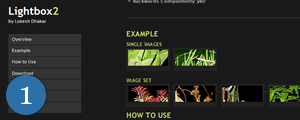 Description:Lightbox is a simple, unobtrusive script used to overlay images on the current page. It’s a snap to setup and works on all modern browsers.
Technology:Lightbox 2 uses the Prototype Framework and Scriptaculous Effects Library.
2.Timeline (http://simile.mit.edu/timeline/)
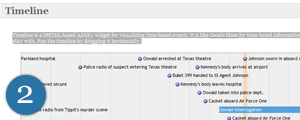 Description:Timeline is a widget for visualizing time-based events. It is like Google Maps for time-based information.
Technology:Ajax and DHTML.
3. Reflection.js (http://cow.neondragon.net)
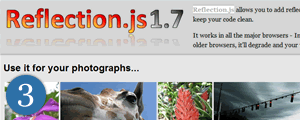 Description:Reflection.js allows you to add reflections to images on your webpages. It works in all the major browsers - Internet Explorer 5.5+, Mozilla Firefox 1.5+, Opera 9+ and Safari. On older browsers, it’ll degrade and your visitors won’t notice a thing. Best of all, it’s under 5KB.
Technology:Javascript.
4. Pie & Donut Chart (http://www.amcharts.com/pie/)
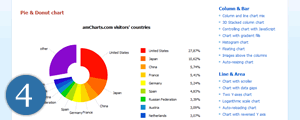 Description:Pie & Donut (doughnut) is a very universal and fully configurable Flash chart. Using it, you can easily have good-looking, animated pies or donuts on your website. You can also use it for creating elaborate navigation menus.
Technology:Flash.
5. Plotr (http://solutoire.com/plotr/)
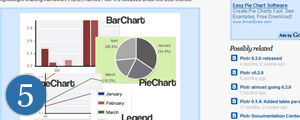 Description:Plotr is a lightweight chart creating framework. It’s released under the BSD license.
Technology:Mochikit.
6. Ajax Instant Messenger (http://www.ajaxim.com/)
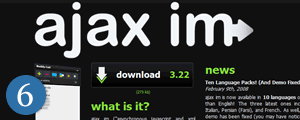 Description:Ajax im is a browser-based instant messaging client. It can be used in conjunction with community, intranet, and social websites. No refreshing of the page is ever needed for this “web application” to work.
Technology:Ajax and Javascript.
7. Starbox (http://www.nickstakenburg.com/projects/starbox/)
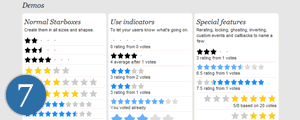 Description:Starbox allows you to easily create all kinds of rating boxes using just one PNG image.
Technology:Prototype javascript framework.
8. Ajax Tabs Content (http://www.dynamicdrive.com/)
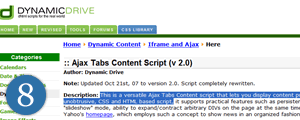 Description: This is a versatile script that lets you display content pulled from external files inside a DIV and organized via CSS tabs. A fully unobtrusive, CSS and HTML based script.
Technology:Ajax.
9. Drag and Drop Shopping (http://demo.script.aculo.us/shop)
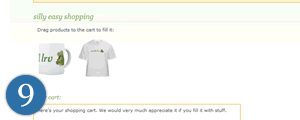 Description: An excellent drag and drop shopping cart.
Technology:Ajax.
10. Progress Bar (http://www.webappers.com/progressBar/)
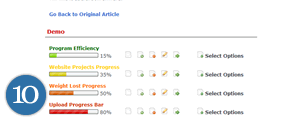 Description: A very stylish progress bar.
Technology:Ajax.
11. Thick Box (http://jquery.com/demo/thickbox/)
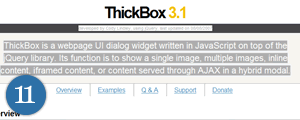 Description: ThickBox is a webpage UI dialog widget written in JavaScript on top of the jQuery library. Its function is to show a single image, multiple images, inline content, iframed content, or content served through AJAX in a hybrid modal.
Technology:Javascript.
12. Create Flickr Like Fields (http://dbachrach.com)
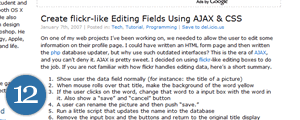 Description: The name says it all. Technology:Ajax.
13. jTip – A jQuery Tool Tip (http://codylindley.com)
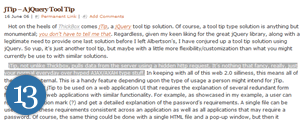 Description: jTip, not unlike Thickbox, pulls data from the server using a hidden http request. It’s nothing that fancy…
Technology:Ajax.
14.Accordian (http://demos.mootools.net/Accordion)
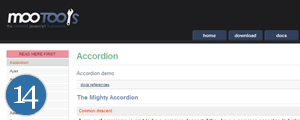 Description: A smooth and stylish ‘accordian’ effect menu.
Technology:Moo Tools Javascript Framework.
15. Unobtrusive AJAX Star Rating Bar (http://www.masugadesign.com)
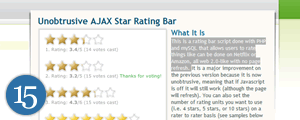 Description:This is a rating bar script done with PHP and mySQL that allows users to rate things like can be done on Netflix or Amazon, all web 2.0-like with no page refresh.
Technology:PHP.
And the rest…
16. Plotkit (Javascript Chart Plotting Script).
17. Pie (Create ajax pie charts).
18. Prototip (Prototip allows you to easily create both simple and complex tooltips using the Prototype javascript framework).
19. Ajax Inline Text Edit (This is a very simple script which only works with span tags).
20. Tabbed Content Browser (An Ajax powered tabbed content browser).
21. Table Sorting Script (An unobtrusive ajax Table Sorting Script).
22. Color Sphere (DHTML Color Picker).
23. Mapper.js (Thisallows you to add automatic area highlighting to image maps on your webpages (inc. export to SVG)).
24. Live Validation (LiveValidation is a small open source javascript library built for giving users real-time validation information).
25. Draggable Content (Javascript drag and drop).
26. Carousel (A Carousel Effect Image gallery).
27. Multibox (A javascript lightbox that supports images, flash, video, mp3s…).
28. Smooth Gallery (Using mootools v1.11, this javascript gallery and slideshow system allows you to have simple and smooth (cross-fading…) image galleries, slideshows, showcases and other cool stuff on your website…).
29. Form Style Generator
30. Auto Complete (A MooTools Autocompleter widget that creates a unobtrusive and customisable suggestion box for input fields from variable data sources).
31. Active Collab (An open Source Project Management Script).
32. Greybox (A small unobtusive pop up script).
33. Ajax Poller.
34. Tablekit (TableKit is a collection of HTML table enhancements using the Prototype framework).
35. J-query Shoutbox (This script is based on jQuery library and Form plugin.
It’s very easy to setup it, also an archive is available for download so you can play with the files on your localhost).
36. Ajax RSS Ticker.
37. Highslide (It streamlines the use of thumbnail images and HTML popups on web pages).
38. Slideshow Viewer (Stylish gallery script with a ‘lightbox’ effect).
39. Mocha (Mocha is a web applications user interface library built on the Mootools javascript framework. The Mocha GUI components are made with canvas tag graphics).
40. Loading XML into a page with xmlHttpRequest.
Top 20 Free Vector Resources for Designers
1. BittBox (http://www.bittbox.com)

2. Vecteezy (http://www.vecteezy.com/)
3. Go Medias Arsenal (http://www.gomedia.us/ )
4. Blog.Spoon Graphics (http://www.blog.spoongraphics.co.uk/)

5. Outline Maps (http://www.eduplace.com)

6. Free Vectors (http://www.freevectors.net/)

7. CreateSk8 (http://createsk8.com/)

8. Vector Portal (http://www.vectorportal.com/)

9. Open Clipart Library (http://www.openclipart.org/)

10. Vector Vault (http://www.vectorvault.com)

And the rest…
11. NDesign Vector Cliparts (http://www.ndesign-studio.com/resources/vector-cliparts/).
12. Magurno (http://www.magurno.com/).
13. Cuts and Caps - Briar Press ((http://www.briarpress.org/cuts).
14. Symbol Signs from Aiga.org (http://www.aiga.org/content.cfm/symbol-signs).
15. Vector Workshop (http://www.vectorsworkshop.com/).
16. Hydro 74 (http://hydro74.wordpress.com/category/free/).
17. All the Flags of the World (http://www.all-the-flags-of-the-world.c.la/).
18. Arcade Art Library (http://www.localarcade.com/arcade_art/).
19. Nugerilla (http://www.nuguerrilla.com/).
20. SVG Cards (http://david.bellot.free.fr/svg-cards/).
Freebies: Typeface and Icons
Free stuff always comes in handy. We are regularly hunting for free high-quality icons, fonts, wallpapers, plugins and scripts and present them to you, so you don’t need to search for them. As long as we find something beautiful, interesting or useful, we let you know in our posts. And now it’s time for some sweet freebies for designer’s toolbox.
Below you’ll find an excellent free font and some recently released icon sets. They all are released for free; however, please take a look at license agreements before using them in commercial applications.
You can also take a look at our previous article
- Friday Freebies: Font, Icons and Wallpapers which presents a high-quality font, high-resolution wallpapers and icons as well as a free WordPress admin theme.
Freebies: Typeface and Icons
Free Typeface Jura
Jura is a distinctive yet readable serif typeface, suitable for headings and body content alike. It features 96 of the most commonly used glyphs (characters).

Pirates Icons (.zip)
Pirates icon pack, designed by Artua Design Studio especially for Smashing Magazine. The Pirates Theme for Windows desktop and any applications.

Sticker Pack (fixed link)
This collection contains 41 individual sticky icons with large resources for Vista & Leopard. Designed by David Lanham.

Circular Icons
Circular is a free icon set containing 100+ free to use icons. It’s a themed collection of 100+ 16×16 icons designed by me, Ben Gillbanks. The icons are available as a zip download of alpha transparent png’s (link over there on the right), and cost a grand total of nothing!

Care Bears
An icon pack with 5 lovely bears. Icons for Win, Mac and Linux.

Vaga Icon Set
Vaga is a set of 60 semi-transparent .png icons (16 x 16) from Ed Merritt - available for free download and applicable to a number of regular web application domains.

Last Click
What about some nerd’s furniture for true pixel ninjas? For instance, Pixelcouch? Royal College of Art graduate (UK) Cristian Zuzunaga has devised a fabric based on a ‘pixel’ concept, which is being produced by Danish manufacturer Kvadrat and sold through Moroso. The price is unknown yet. [via]


Nope, it’s not free, but it’s really amazing. Saitek’s new Cyborg keyboard is probably the most nerdy keyboard ever designed. It could have come straight off Star Trek’s Starship Enterprise.

Desktop Wallpaper Calendar: April 2008
Month Capsule
“The first thing I wanted to tackle was how to make the calendar different looking than your standard 7 column kind. So after much concepting I came up with a spiral design that still grids out the days but makes it more interesting to look at. As far as the overall theme it’s a collage of ideas. The frailty of time was something that interested me most seeing as how much we take the passage of time for granted. The wet flower symbolizes the rain and flowering season which are characteristic of the April month.” Designed by Marcel Mercado from USA.


Orchestra
Dedicated to classical music! Done in Photoshop with Wacom tablet. Available in 12 desktop resolutions — both widescreen and fullscreen. Designed by Vlad Gerasimov from Irkutsk, Russia.

- preview (0.4 Mb, jpg)
- with calendar:
800×600, 1024×768, 1152×864, 1280×1024 , 1280×800, 1280×960 , 1400×1050, 1440×900, 1600×1200, 1680×1050, 1920×1200, 2560×1600 - without calendar:
800×600, 1024×768, 1152×864, 1280×1024 , 1280×800, 1280×960 , 1400×1050, 1440×900, 1600×1200, 1680×1050, 1920×1200, 2560×1600


Them
“Animals are very important in my life. A few days ago, I saw a lot of people hurting them and killing them. Why? Dunno. Just, don’t hurt them.” Designed by Patricia Villanueva from Mexico.


Above us
“The photomanipulation features a look from our planet (the trees) towards another planet that is falling apart. Everything around it is beautiful though, we’re not in any danger (and it’s not us, but the others that are going to die). ” Designed by Cecilie Hundahl Johnsen from Denmark.

- preview (0.3 Mb, jpg)
- with calendar: 1280×960, 1600×1200, 1680×1050, 1920×1200
- without calendar: 1280×960, 1600×1200, 1680×1050, 1920×1200


Vintage Flower
“April is a woman’s name, and also it is the name of the spring month. I thought that a girl represntaría both concepts mixing it with the symbol of this station, the flowers. As a spring goddess. To make it more elegant I endowed it with a touch vintage. ” Designed by Alba Soler from Spain.


Time is in our hands
“Time is in our hands… I wish it would be true, but even since it isn’t, I design it. :)” Designed by Rogers Sampaio from Portugal.

- preview (0.2 Mb, jpg)
- with calendar: 1280×960, 1600×1200, 1680×1050, 1920×1200
- without calendar: 1280×960, 1600×1200, 1680×1050, 1920×1200


Blooming Blue
“Blooming Blue represents my anticipation of winter (while the rest of the world – in the northern hemisphere – talks about spring blooming).” Designed by Kristarella from Australia.

- preview (0.3 Mb, jpg)
- with calendar: 1280×960, 1600×1200, 1680×1050, 1920×1200
- without calendar: 1280×960, 1600×1200, 1680×1050, 1920×1200


Vintage, Grungy Bearwitness
“The main idea is that we shouldn’t take religion too seriously and too literally. That everyone of us would make his own interpretation of this -nowadays sensitive- subject. We should bear witness religion and ways to bring people together in a caring society. That’s why I came up with the idea of using bear witness in a literal way -Bear Witness- just to make the public aware of these twisted truths. I show the opposite of what I’m trying to say. ” Designed by Vincent ‘ViniMan’ Vander Cruyssen from Belgium.

- preview (0.2 Mb, jpg)
- with calendar: 1280×1024, 1280×960, 1600×1200, 1680×1050, 1920×1200
- without calendar: 1280×1024, 1280×960, 1600×1200, 1680×1050, 1920×1200


Creative Blast
“The idea behind the wallpaper is on the one hand that the computer is an important tool we use to express our ideas and create the final work. So the wallpaper brands the computer as this area of creativty. On the other hand the wallpaper expresses that the “Smashing Magazine“ with its loads of inspiration offering for free, helps to not run dry and often releases the hard to control bursts of creativity in our minds.
The Design is minimal to get great contrast and the colors create a kind of “facility-warning-athmosphere”. The logos are transparent but by this according to the minimalism are really eyecathing.” Designed by Henning Lüdeke from Germany.

- preview (0.3 Mb, jpg)
- without calendar: 1024×768, 1280×960, 1600×1200, 1680×1050, 1920×1200
- with calendar: 1024×768, 1600×1200, 1280×960, 1600×1200, 1680×1050, 1920×1200


WeMissed
“Sometimes I feel something is missed, or some percent of something that related to me, it runs out of my life & my hand. maybe, if we just stand longer in the golden sunshine of evening, it will be saved. But it already missed by us, it is inexistent,so we can not say “if”. The inexistent part of us floats above our head, like a boat,or air bubble. In the dream you can see it, half is bright, half is dark, just like youself.” Designed by Dan Chetao from China.

- preview (0.3 Mb, jpg)
- with calendar: 1280×960, 1600×1200, 1680×1050, 1920×1200
- without calendar: 1280×960, 1600×1200, 1680×1050, 1920×1200


Typography: April Showers
“I wanted something simple and type oriented. A friend mentioned/ reminded me of the phrase April showers, May flowers, since I did not remember the may bit at all, it stuck. I decided to literally rain April, over flowers made with the letters M, A, Y. Used Harrington font for “April” and Fertigo for the rest, including the flowers.” Designed by Yaco Roca from Bogota, Colombia.


Autumn Flowers
“This wallpaper is rather dark, inspired by my new love for the Helvetica font. This wallpaper would most likely apply to those who enjoy uncluttered wallpapers. ” Designed by Shaun Hall from Scotland.


Aprilily
“This design is a simple typographic solution, minimal of design, but strong impact on the visual senses. April is my favorite month (since I was born on April 1st), and this design reflects both a personal and professional aspect of myself, optimistic and simple. ” Designed by Vane Kosturanov from Macedonia.

You can download the wallpaper in 4 widescreen resolutions. A .zip-archive with all resolutions is packed in a wallpaper-pack and is also available for free download:


Eternal Sunshine
“Worked in Photoshop and Illustrator, the work is called Eternal sunshine and express in this art a person for a mistake in his life decides to lose all the memories to start over with a new life with a sense something abstract and rustic I design ” Designed by Miguel Angel Lozada M. from Mexico.

You can download the wallpaper in 4 widescreen resolutions. A .zip-archive with all resolutions is packed in a wallpaper-pack and is also available for free download:


Pink Panda
“Dark green background is an alternative, artistic representation of a bamboo forest, there’s also a panda which has been coloured with pink in a punky, fun sort of way - obviously a ‘modern’ panda! Motivation behind the design: there’s just not enough pink pandas on computer wallpapers out there?! I hope it makes people smile/laugh.” Designed by Matt Robin from UK.


Subscribe to:
Posts (Atom)